
How I Stopped Drawing Flowcharts and Started Talking to My Computer
If you told 2024-me that in 2026 I’d spin up a personal AI agent inside an Ubuntu VM on my Mac using one command, I would’ve replied:
“Sure… right after n8n stops breaking when I rename a node.”
Yet here we are 😄
Welcome to my automation glow-up story, Arun360 style.
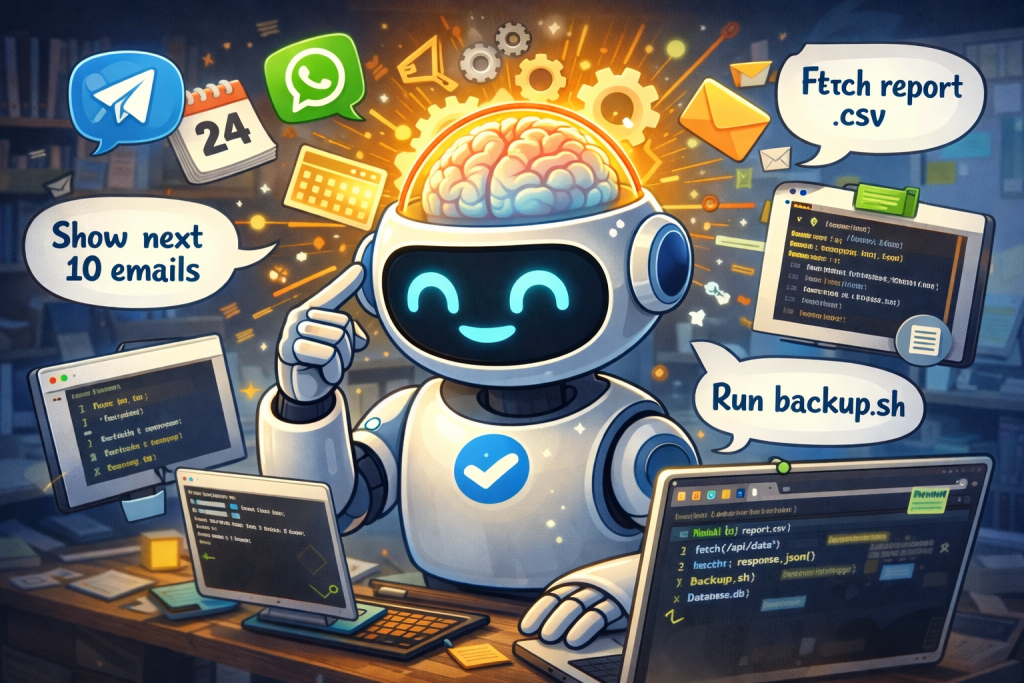
🎞️ Flashback: The n8n Era (aka Flowchart Fatigue)
Two years ago, automation for Telegram / WhatsApp looked like this:
-
Install n8n
-
Docker (optional, but actually mandatory)
-
Webhooks → Tokens → Secrets → JSON
-
One tiny change → entire workflow collapses
-
Debug logs at 1 a.m. wondering where life went wrong
A “send message” workflow had:
-
6 nodes
-
4 credentials
-
1 function
-
0 happiness
Automation felt like building a space shuttle to turn on a fan 🥲
⏩ Fast-Forward to Now: Agent Era Arrives
Enter the project with three names and one big idea:
Clawdbot – Moltbot – OpenClaw (Name changed. Vision didn’t.)
The promise is simple and dangerous:
“Stop telling computers how.
Start telling them what.”
That’s not automation.
That’s delegation.
🧪 My Setup (Because I’m Paranoid… Professionally)
I didn’t install this directly on macOS.
Experience teaches you things.
My Lab:
-
💻 MacBook Air M3
-
🖥️ UTM Virtual Machine
-
🐧 Ubuntu Linux
-
🔒 Isolated environment
-
☕ Coffee (non-optional dependency)
And then…
curl -fsSL https://openclaw.ai/install.sh | bashThat’s it.
No Docker Compose Olympics.
No 45-minute YouTube tutorial.
No “Why is port already in use?” error.
I blinked.
It was running. 😳
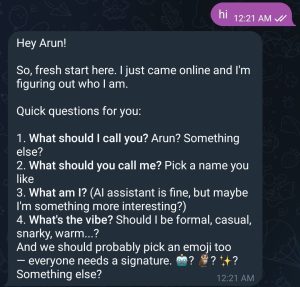
⚠️ First Surprise: Brew Is Mandatory (Yes, Even on Ubuntu)
Before you start using OpenClaw skills, there’s a plot twist:
👉 You must pre-install Homebrew inside Ubuntu.
Yes.
Brew.
On Linux.
Inside a VM.
On a Mac.
Inception unlocked 🌀
But once Brew is there, skills behave nicely and dependencies don’t throw tantrums.
🛠️ Where All the Magic Lives
All OpenClaw configuration is neatly tucked away here:
nano .openclaw/openclaw.jsonThis file is basically:
-
Your agent’s brain
-
Your future debugging destination
-
The place you’ll say: “Ohhh… that’s why.”
💬 Talking to Your Agent (Like a Normal Human)
Terminal Chat (my favorite)
openclaw tuiThis opens a chat UI right in the terminal.
Feels like Slack, but your coworker is an AI who never asks for leave.
🔄 Reconfiguring Without Breaking Reality
Need to change models, channels, plugins, or behavior?
openclaw configureThink of this as:
“Let’s rewire the brain without causing an outage.”
🌐 Dashboard Login (No Passwords, No Drama)
Want the web dashboard?
openclaw dashboardThis command:
-
Generates a secure login URL
-
Includes a login token
-
Opens instant access
No signup.
No forgot-password loop.
Chef’s kiss 👌
📲 Telegram Integration (Actually Pleasant for Once)
If you configure a Telegram bot (docs are surprisingly clear):
👉 The first message you send from Telegram triggers a pairing code.
That code:
-
Confirms you are you
-
Pairs the bot with your OpenClaw instance
-
Feels way cleaner than old webhook madness
Finally… Telegram automation without tears 🥹
💚 WhatsApp Support (Yes, Really)
Enabling WhatsApp is literally one line:
openclaw plugins enable whatsappThat’s it.
No reverse-engineering sessions.
No unofficial libraries from random GitHub repos.
No existential dread.
🔁 Rule of Survival: Always Restart After Changes
Any time you modify config, plugins, or channels:
openclaw gateway restartThis is the:
“Did you turn it off and on again?”
moment — but officially endorsed.
Ignore this and you’ll debug ghosts 👻
🧠 Curious Where Your Agent Actually Works?
Once everything is running smoothly, check:
.openclaw/workspaceThis is where:
-
Files are created
-
Tasks are executed
-
Your agent quietly gets things done
Basically, the agent’s desk.
😂 n8n vs Agent Era (Honest Comparison)
|
Task |
n8n Era |
OpenClaw Era |
|---|---|---|
|
Send Telegram msg |
6 nodes |
1 sentence |
|
WhatsApp setup |
Pain |
1 command |
|
Debug logic |
JSON archaeology |
Ask agent |
|
Mental health |
❌ |
✅ |
⚠️ Reality Check (Because I Like My Laptop)
Let’s be clear:
AI agents are powerful
Which means dangerous if careless
That’s why:
-
I ran it inside a VM
-
No production secrets
-
No real credentials
-
Experimentation only
Think of agents as:
Interns with sudo access and no fear.
Respect them.
🧠 Final Thoughts
I’ve lived through:
-
Cron jobs
-
Bash scripts
-
CI pipelines
-
n8n workflows
-
Cloud automation
And now… agentic systems.
This feels different.
Messy? Yes.
Scary? Sometimes.
Inevitable? Absolutely.
This is the Linux moment of automation.



0 Comments